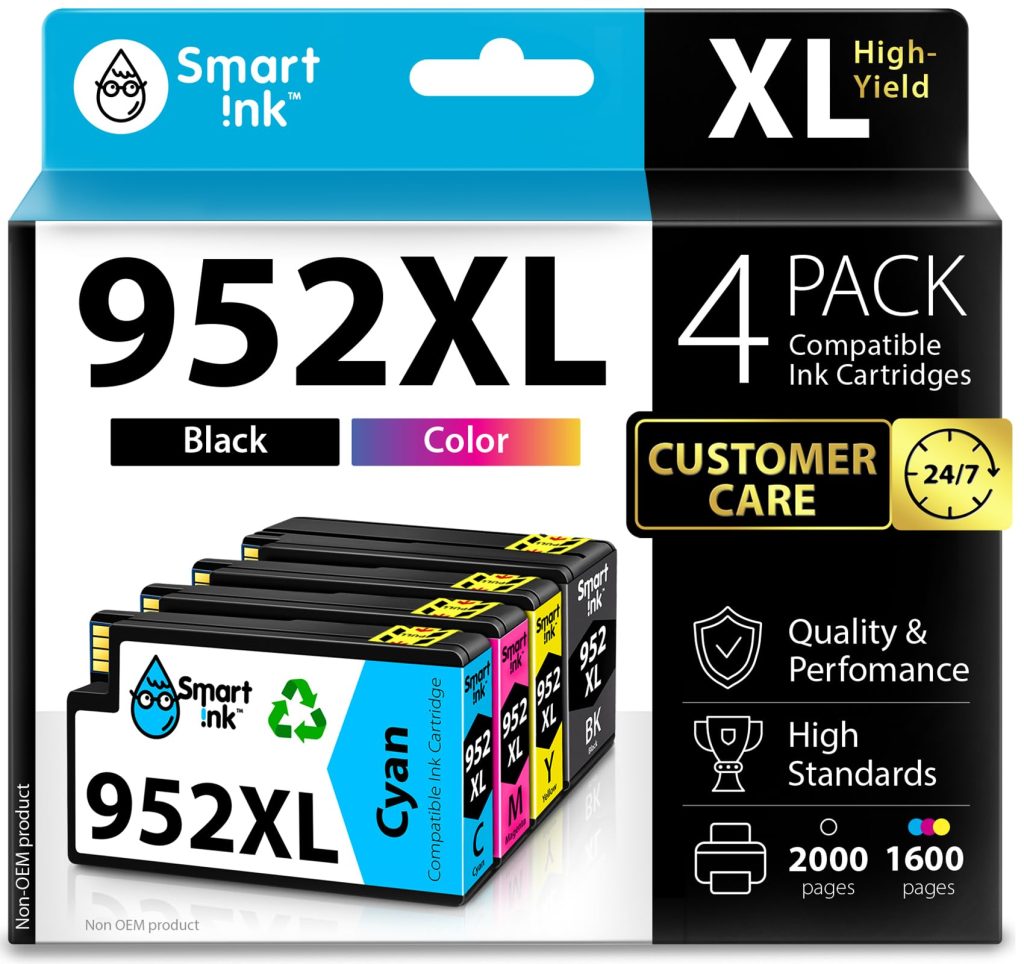
Smart Ink Compatible HP 952XL Cartridge 4-Pack: A Budget-Friendly Alternative for OfficeJet Pro Printers
About This Product
If you own an HP OfficeJet Pro printer—like the 8710, 7740, or 8720—you’ve likely faced the recurring cost of replacing ink. The Smart Ink Compatible 952XL 4-Pack (one black, one cyan, one magenta, one yellow) positions itself as a lower-cost alternative to HP’s own high-yield cartridges. After testing these in a home office setting over several weeks, here’s a grounded look at how they perform in daily use.
These cartridges are designed to fit a range of HP OfficeJet Pro models, including the 8210, 8703, and 8702. Installation is straightforward: you pop out the old cartridges, remove the orange protective caps from the Smart Ink ones, and slide them in. The printer recognized them immediately without any firmware update prompts, which is a relief since some third-party inks can trigger compatibility warnings. The black cartridge is rated for about 2,000 pages, while the color ones are around 1,600 pages each—these are typical high-yield estimates, though real-world page counts depend heavily on what you print.
In terms of print quality, the results are solid for everyday documents. Black text on standard copy paper comes out crisp and dark, with no noticeable smudging or fading after drying. For color documents, such as charts or presentations, the output is vibrant enough for internal use, but it doesn’t quite match the punch of HP’s original inks on glossy photo paper. If you print a lot of high-resolution photos, you might see slightly less saturation and a bit more grain in gradients. For typical office tasks—reports, spreadsheets, invoices—the difference is negligible.
One limitation worth noting is the page yield. While the claimed numbers are attractive, I found that the black cartridge ran out after roughly 1,700 pages of mixed text and graphics, which is a bit short of the 2,000-page estimate. This is common with compatible cartridges, as yield often varies by print density and driver settings. The color cartridges held up better, lasting close to their rated capacity. Also, the ink does not seem to dry out as quickly as some third-party brands when the printer sits idle for a couple of weeks, but it’s still wise to print something every week or so to keep the nozzles clear.
Compared to using HP’s original 952XL cartridges, the Smart Ink pack offers significant savings—roughly 40-50% less per page. However, you trade some consistency. Original HP inks tend to have more predictable yield and slightly better color accuracy, especially for critical branding or photo work. If you’re running a busy office where print quality is paramount, the extra cost of OEM might be justified. For a home office or small business churning out routine documents, this compatible set makes financial sense.
Who is this for? It’s a good fit for budget-conscious users who print mostly black-and-white text or color documents for internal use. Students, remote workers, and small teams that need to keep operating costs low will appreciate the savings. It’s less suitable for photographers, graphic designers, or anyone who needs consistent, high-quality photo prints. Also, if you rely on printer warranties, note that some manufacturers may view third-party cartridges as voiding coverage, though HP generally does not enforce this for basic use.
Overall, the Smart Ink 952XL 4-pack delivers on its promise of affordable ink for HP OfficeJet Pro printers. It’s not flawless—the black yield is slightly overhyped, and color output isn’t top-tier for photos—but for everyday printing, it’s a reliable and cost-effective choice. Just set your expectations accordingly: you’re getting decent quality at a lower price, not a direct replacement for premium OEM cartridges.
Ready to Buy?
Get the best price on Amazon with fast Prime delivery.
🛒 Buy Now on AmazonIrgulmac.com earns from qualifying Amazon purchases.